


Chrome / Edge extension
Context Menu Search
Your browser’s context menu search made easy!
Introduction
The Context Menu Search extension allows you to quickly search selected text using various search engines directly from the context menu (right-click menu) of your browser.
Screenshots
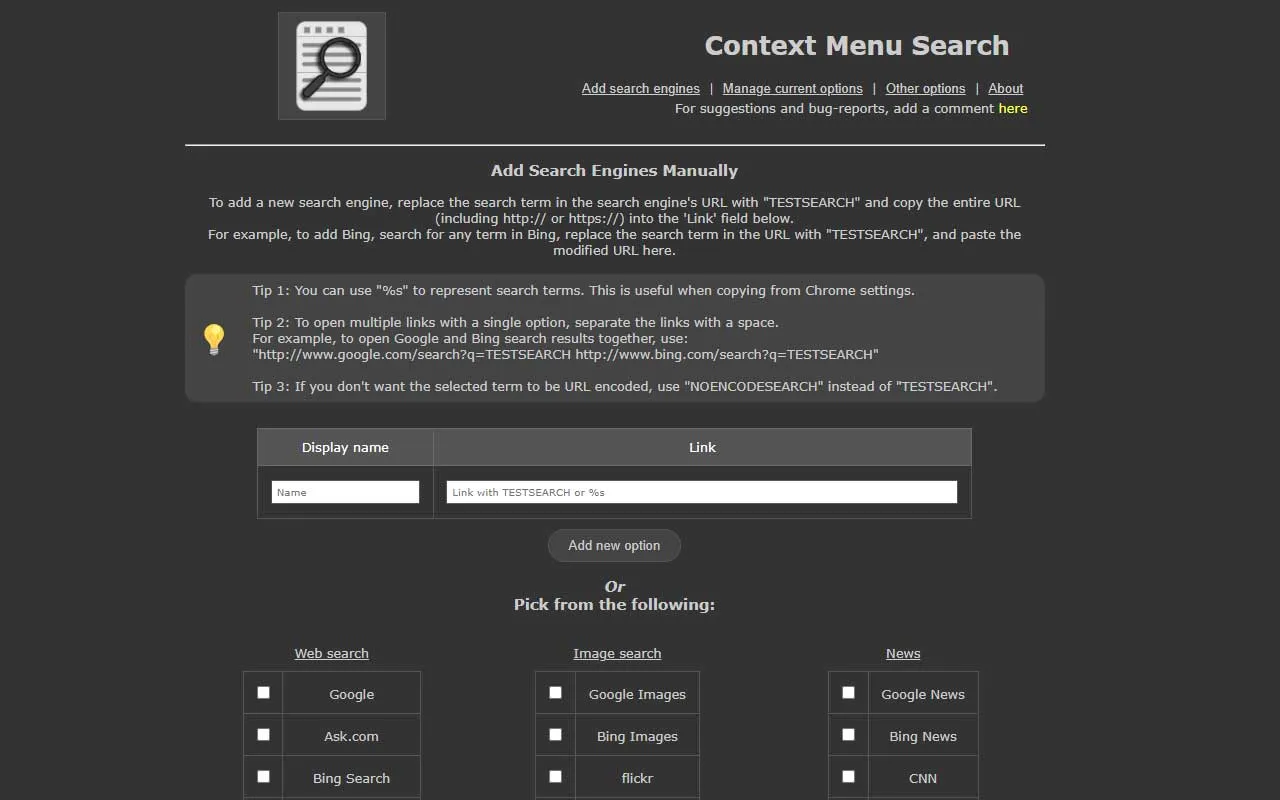
Adding a search engine 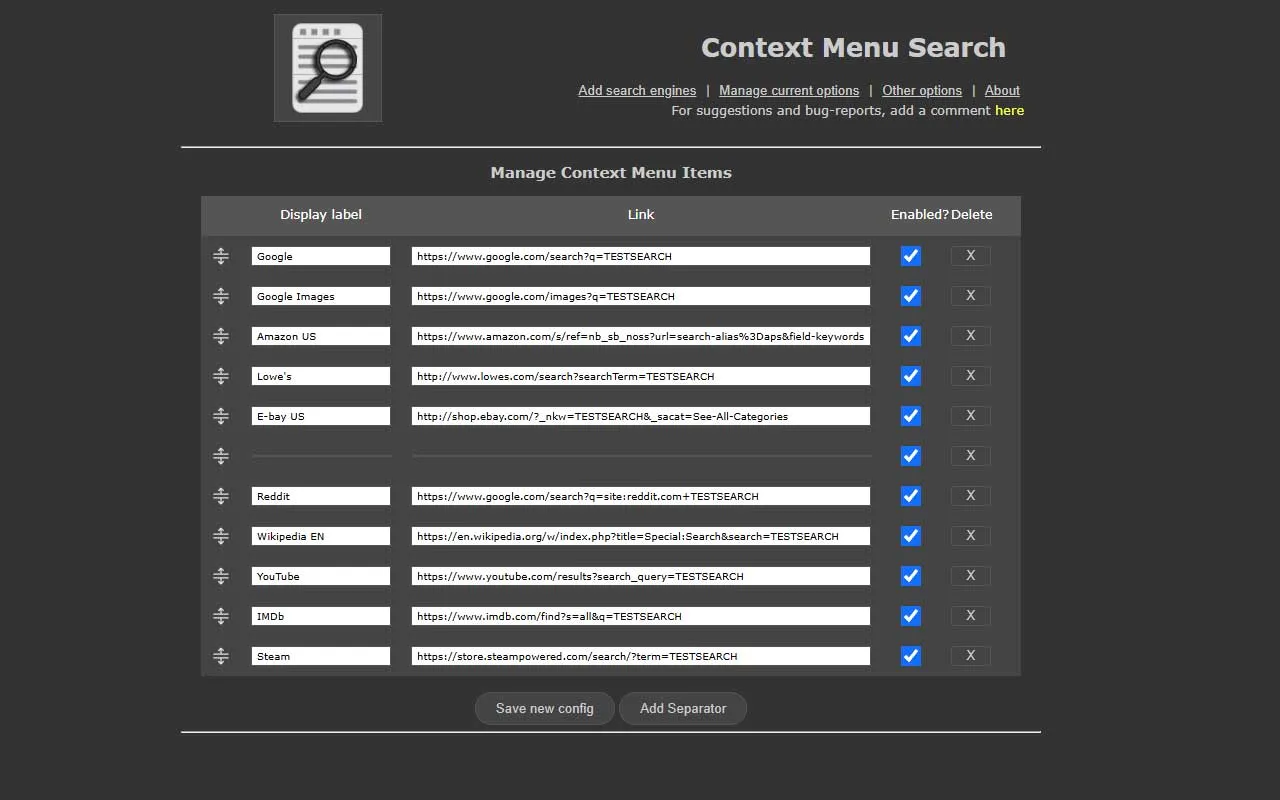
Managing search engine order
Features
- Add as many search engines as you need.
- Easy to use and configure.
- Increased performance and stability over the original plugin.
- Improved user interface.
- Improved configuration management (Google Browser Sync coming soon!)
- Quickly add and remove search engines to your right-click menu.
- Choose from a selection of over 70 popular search engines.
- Open search results in a new tab, with options to open in the foreground or background, and customize tab placement.
- Effortlessly reorder your search engines within the options screen.
Provided search engines
- Web Search
- Google, Ask, Bing Search, DuckDuckGo, Startpage, Ecosia, Yahoo! Japan, Yahoo! Search, Dogpile, Metacrawler, Wolfram Alpha, Reddit
- Development Search
- GitHub, Stack Overflow
- Image Search
- Google Images, Bing Images, Flickr
- News
- Google News, Bing News, CNN, BBC World, Yahoo! News, The Guardian
- Social Search
- Facebook, X/Twitter, Bluesky, Instagram, Tumblr, Google Groups, Pinterest, Myspace
- Gaming Search
- Steam, Epic Games, GOG, Xbox Live, Sony PSN, Twitch
- Music & Movies
- Spotify, Pandora, iTunes, Last.fm, Yahoo! Music, YouTube Music, Google Play Music, MTV, IMDb, Rotten Tomatoes
- Videos
- YouTube, Google Videos, Bing Videos, Metacafe, Vimeo
- Shopping
- eBay US, Amazon US, Walmart, Target, Best Buy, Newegg, Google Products, Bing Shopping, Yahoo Shopping
- Other
- Archive.org, Wikipedia EN, Google Definition, Google Scholar
- And more…
Manual
Adding a search engine
- Go to the extension options page.
- Click on “Add Search Engine”.
- Enter the name of the search engine.
- Enter the URL of the search engine, replacing the search query with
%s. - Save the settings.
Using the extension
- Select the text you want to search.
- Right-click on the selected text.

- Choose the search engine from the context menu.
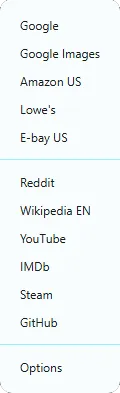
- The search results will open in a new tab.