

Emby Server plugin · Emby 4.10.0.40 or later
Temporal
A per-library date added control for Emby.
At a glance
Temporal replaces the Date Added value of your Emby library items with a date taken from the item's own metadata, chosen library by library.
Emby's built-in handling offers only one global choice: the date an item was scanned or the date its file was created. With Temporal, a general Movies library can use Premiere Date, a New Releases library can use File Created Date, and a vintage film collection can use Production Year. Each choice is explicit and independent, and a library with no rule is never touched.
Screenshot
-
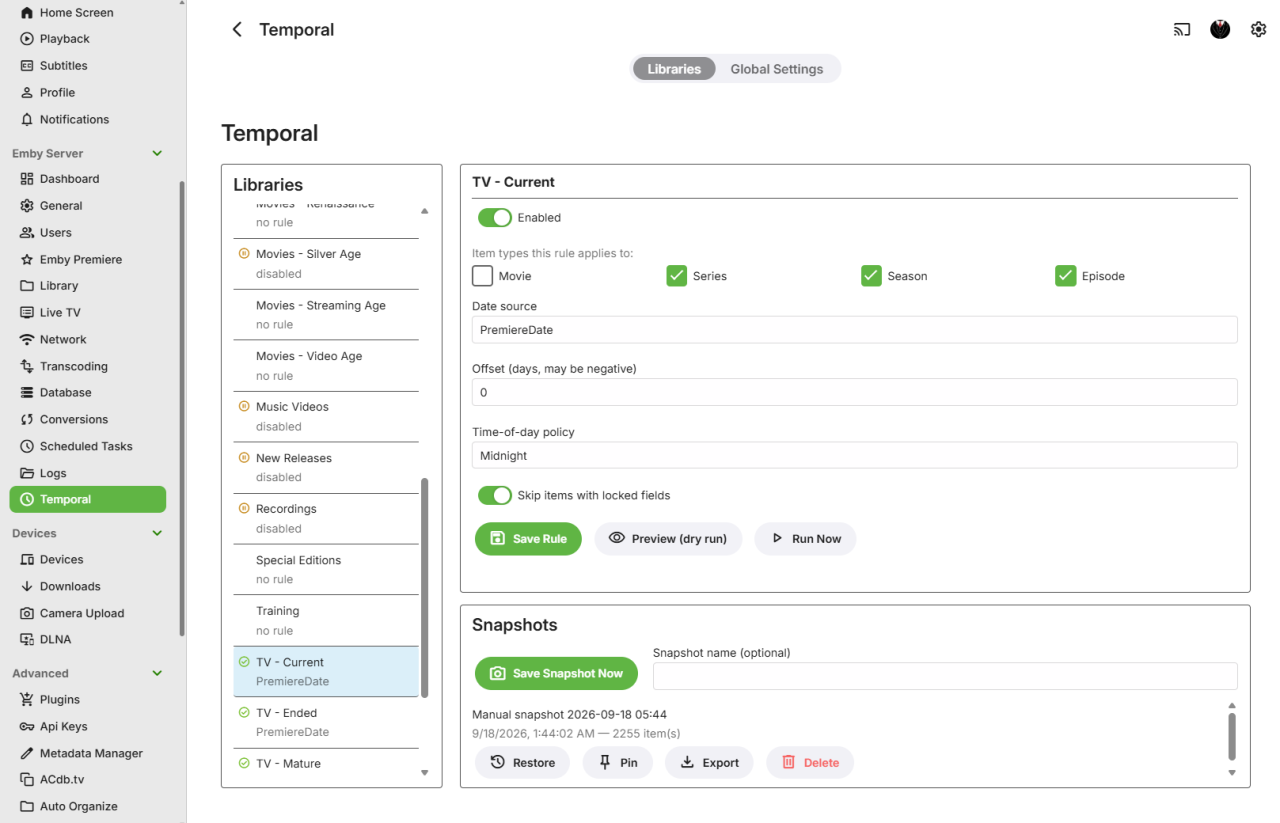
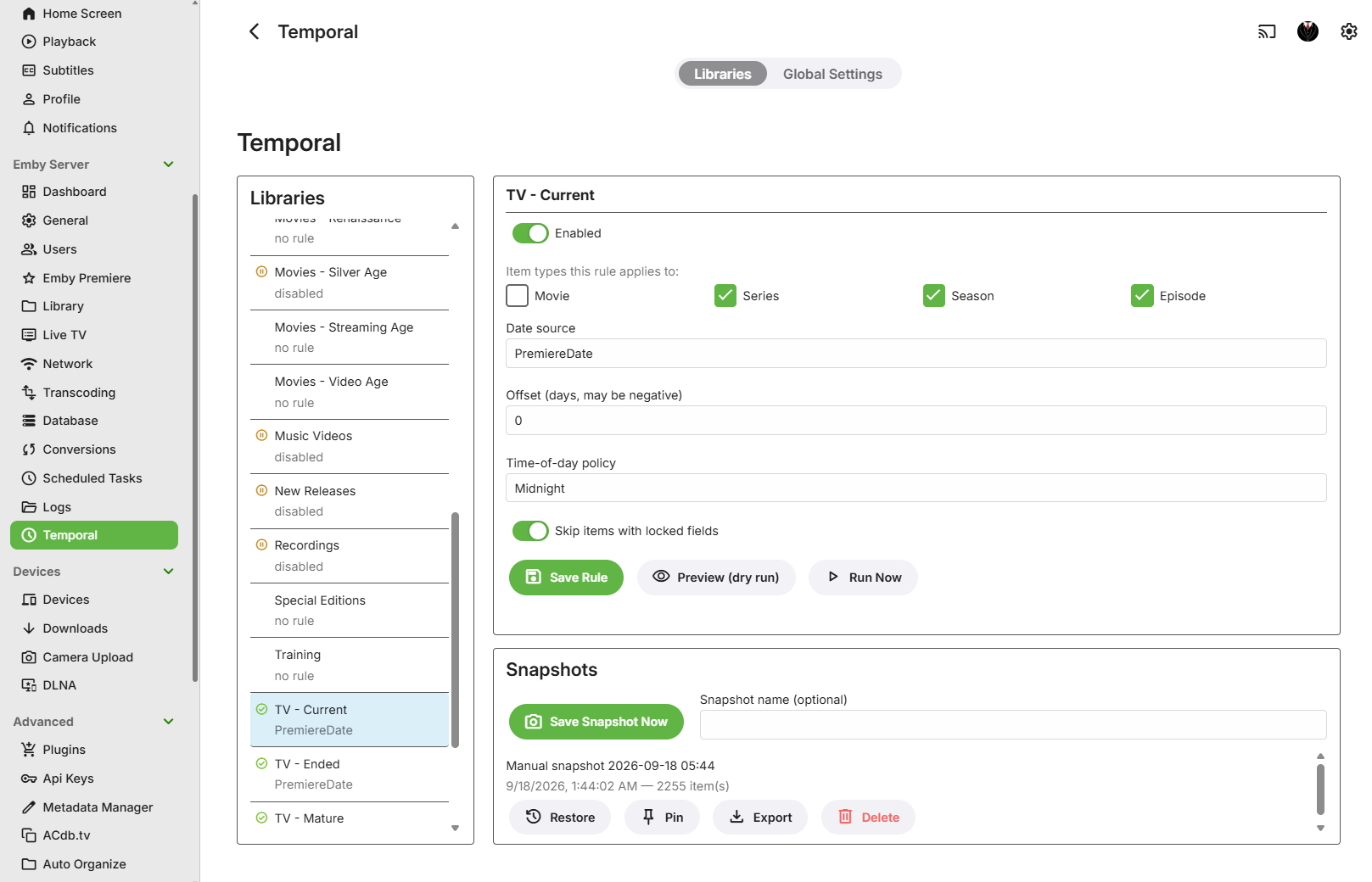
The Temporal page in the Emby dashboard: one rule per library, with preview, run now and snapshots.
Features
- A rule for each library
- Pick the date source, item types, day offset and time of day for each library on its own. Libraries without a rule are left alone.
- Four date sources
- Premiere Date, Production Year (January 1), File Created Date or File Modified Date. One source per rule, never a silent fallback to another.
- Series and seasons
- With a file-based source, a Series or Season uses the earliest file date among its episodes.
- Respects your locks
- Items with any locked metadata field are skipped, unless you turn that off for the library.
- Preview and Run Now
- See the exact before and after for every item without writing anything, or run a single library immediately.
- Snapshots and undo
- Save a named snapshot of a library's dates before a change, then restore it later. Pin, export or delete snapshots.
- Uses Emby's scheduled tasks
- An hourly-safe incremental pass and a full validation pass, with progress and cancellation like any other Emby task.
- Safe by design
- Temporal never writes to files on disk. It only changes Emby's own Date Added and Date Modified values.
Installation
- Download the ZIP and extract
Emby.Temporal.Plugin.dll. - Copy the DLL into your Emby Server
pluginsfolder. - Restart Emby Server.
- Open Dashboard → Plugins, find Temporal, and click its gear icon to open the configuration page.
Setting up a library
On the Temporal page each of your libraries has a rule with these settings:
- Enabled: pauses or resumes the rule without deleting it or reverting dates already written.
- Item types: any of Movie, Series, Season and Episode. All selected types use the same date source.
- Date source: Premiere Date, Production Year (Jan 1), File Created Date or File Modified Date. File Created Date is best effort, since some systems (often Linux and network shares) do not expose it. File Modified Date is usually the more reliable file-based choice.
- Offset (days): added to, or subtracted from if negative, every date before it is written.
- Time of day: Midnight (00:00:00 UTC), Preserve Original Time, or Run Time.
- Respect item exclusions: on by default, skips items with any locked metadata field.
If an item's chosen source cannot be resolved, the item is left untouched and reported as unresolved in the run summary.
Scheduling
Under Dashboard → Scheduled Tasks, in the Temporal category, two tasks are registered:
- Incremental Date Update re-evaluates only items changed since each library's last successful run. It is cheap enough to run hourly.
- Full Validation Pass re-evaluates every item in every enabled library. Daily or weekly is a reasonable cadence, or run it by hand.
Both are idempotent: with nothing to change they write nothing, so running them more often than needed is harmless.
What Temporal does not do
- It does not support Music, Books or Photos. Movies, Series, Seasons and Episodes only.
- It does not react to changes in real time. It runs in batches through the scheduled tasks.
- It does not fall back between date sources.
Requirements and licence
- Emby Server 4.10.0.40 or later. The .NET 8 runtime is bundled with Emby Server.
- Copyright © 2026 Rathinosk. All rights reserved. The plugin is free to download and use with Emby Server, but the source is not published.
Questions, bug reports and feedback are welcome in the Emby forum thread. Back to all projects